Analytics & Reporting
Exporting data, understanding the dashboard, and generating tax compliance reports.
Analytics & Reporting
Data visibility is critical for merchants. The platform provides real-time operational dashboards and tax-oriented reporting backed by canonical tax records.
The Dashboard
The default view upon logging in is the Dashboard. It aggregates real-time data across your active Sites.
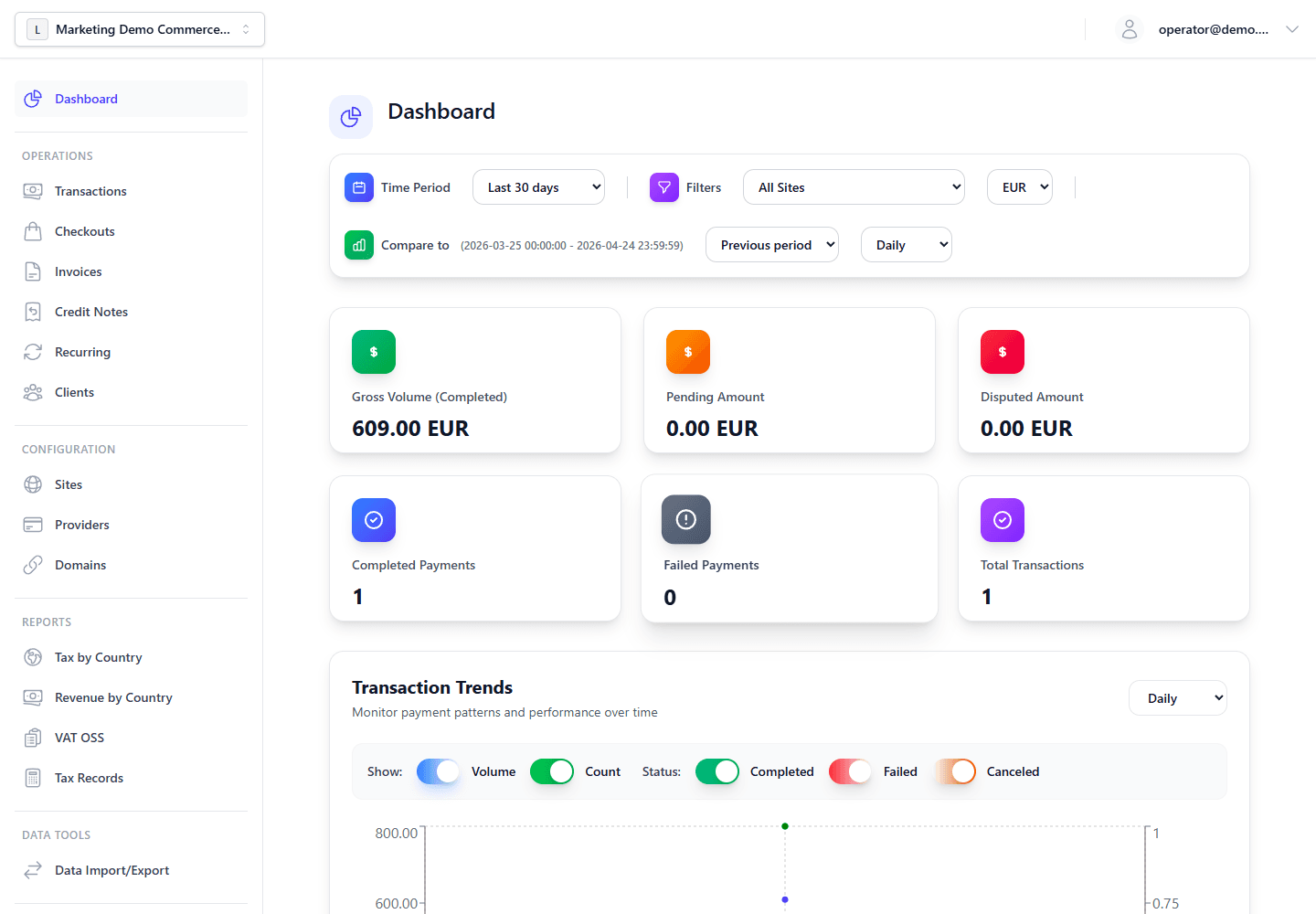
Key metrics include:
- Gross volume: Total processed transactions over the selected trailing period, such as 7 days or 30 days.
- Net revenue: Gross minus refunds and computed upstream provider fees.
- Failed attempt ratios: Helps identify surges in fraudulent card testing or widespread bank outages.
Tax And VAT OSS Reports
Tax reports are generated from canonical tax_records, not from ad hoc transaction totals. This lets the Admin Panel aggregate sales, invoices, refunds, chargebacks, and credit notes consistently while preserving drill-down links to the source documents.
Available tax reporting views include:
- Tax by country: Net, tax, and gross amounts grouped by tax country and rate.
- Revenue by country: Revenue-style summary by country.
- VAT OSS: Quarterly EU OSS aggregation with country/rate/supply-type basis rows.
Navigate to Reports > VAT OSS for OSS filings:
- Select the calendar year, quarter, timezone, and source basis (
transactions,invoices, orboth). - The report aggregates active tax records where OSS or OSS-reportable cross-border B2C treatment applies.
- Refund and fund-impacting chargeback tax records reduce the relevant totals instead of mutating the original sale. Won chargebacks are voided for reporting, and chargeback credit notes are issued only for lost or accepted disputes.
- Mixed goods/digital-service and EU/non-EU adjustments stay line-based: goods and shipping follow the shipping destination, digital service, tax, and discount lines follow billing country, and export or untaxed residual lines stay outside VAT OSS.
- Export the data as OSS XML or Elster CSV when the local filing workflow requires it.
See Invoicing & Tax architecture for the full tax record lifecycle.
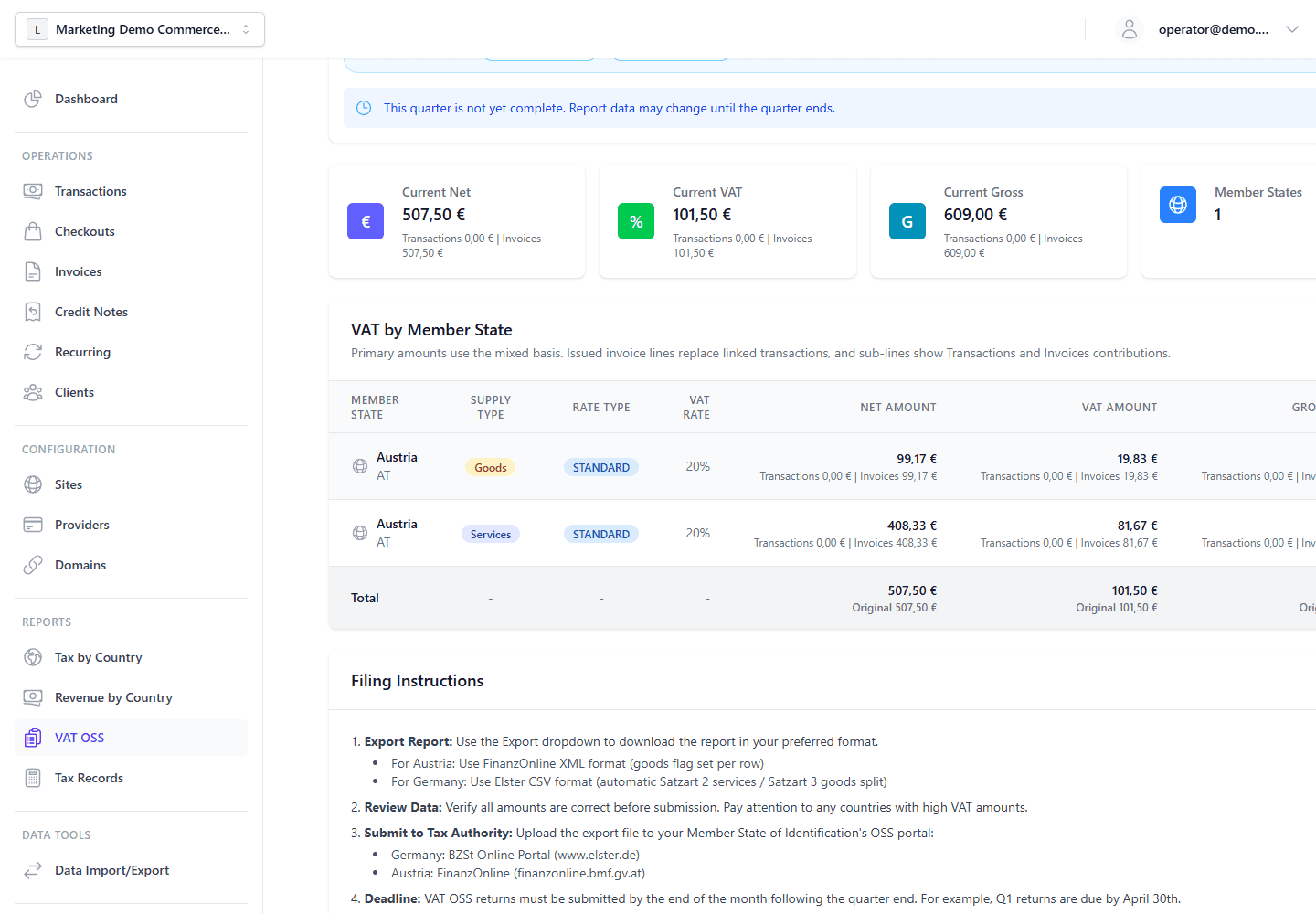
Use Reports > Tax by Country when you need a country-level reconciliation view before filing or exporting. It uses the same canonical tax-record basis as VAT OSS reporting, then groups active records by country and rate so finance teams can drill back into the source records when reviewing totals.