Customer Portal
A secure, self-service portal for end customers.
Customer Portal
The Customer Portal is a self-service interface where your buyers can securely manage their billing relationship with your organization without contacting your support team. The portal uses generic Customer Portal chrome (shared layout and styling); it does not apply per-site logos or color themes. Documents and lists show the site label (siteLabel) where relevant so buyers can tell which channel issued a document.
Access & Authentication
Because the portal houses sensitive financial documents, it employs strict, passwordless authentication.
- Email challenge: Customers enter the email address they used during checkout at your portal URL (by default:
https://<MAIN_FRONTEND_DOMAIN>/portal; e.g.https://pay.yourdomain.com/portal). - Magic link or OTP delivery: The system dispatches a time-sensitive login link, with OTP confirmation available as a fallback flow where configured.
- Session issuance: After the link or OTP is accepted, the backend exchanges it for a signed portal session token (opaque bearer token), granting scoped access to their specific Organization-bound Client profile.
Portal Capabilities
Once authenticated, customers are presented with the portal document and subscription views. They can independently perform the following actions:
Document Retrieval
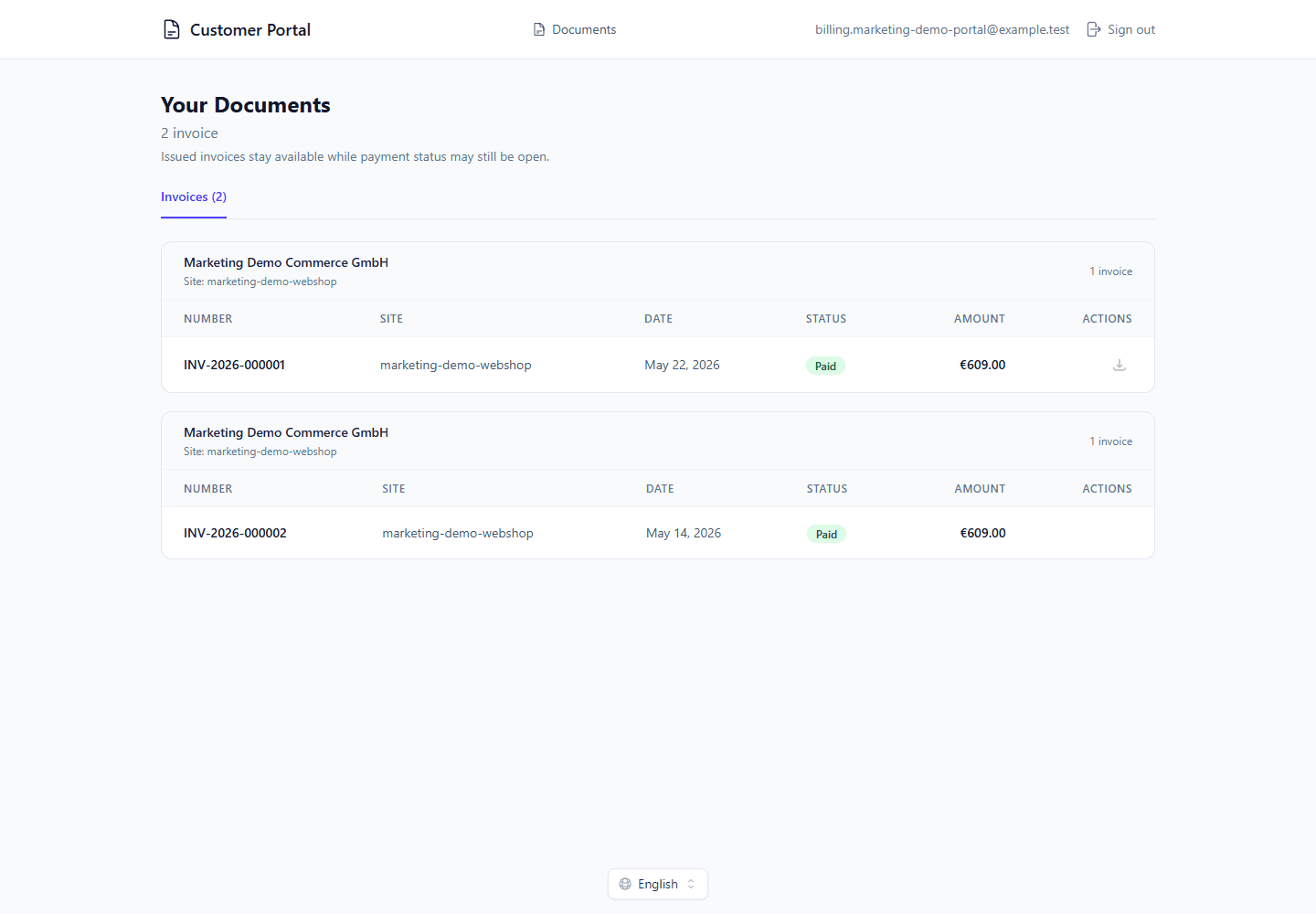
Customers can view portal-visible billing documents associated with their email: standard invoices in draft or issued state, and issued credit notes. Pro forma invoices are not listed in the portal. Organization and site portal settings can disable invoice listing or specific download formats.
They can:
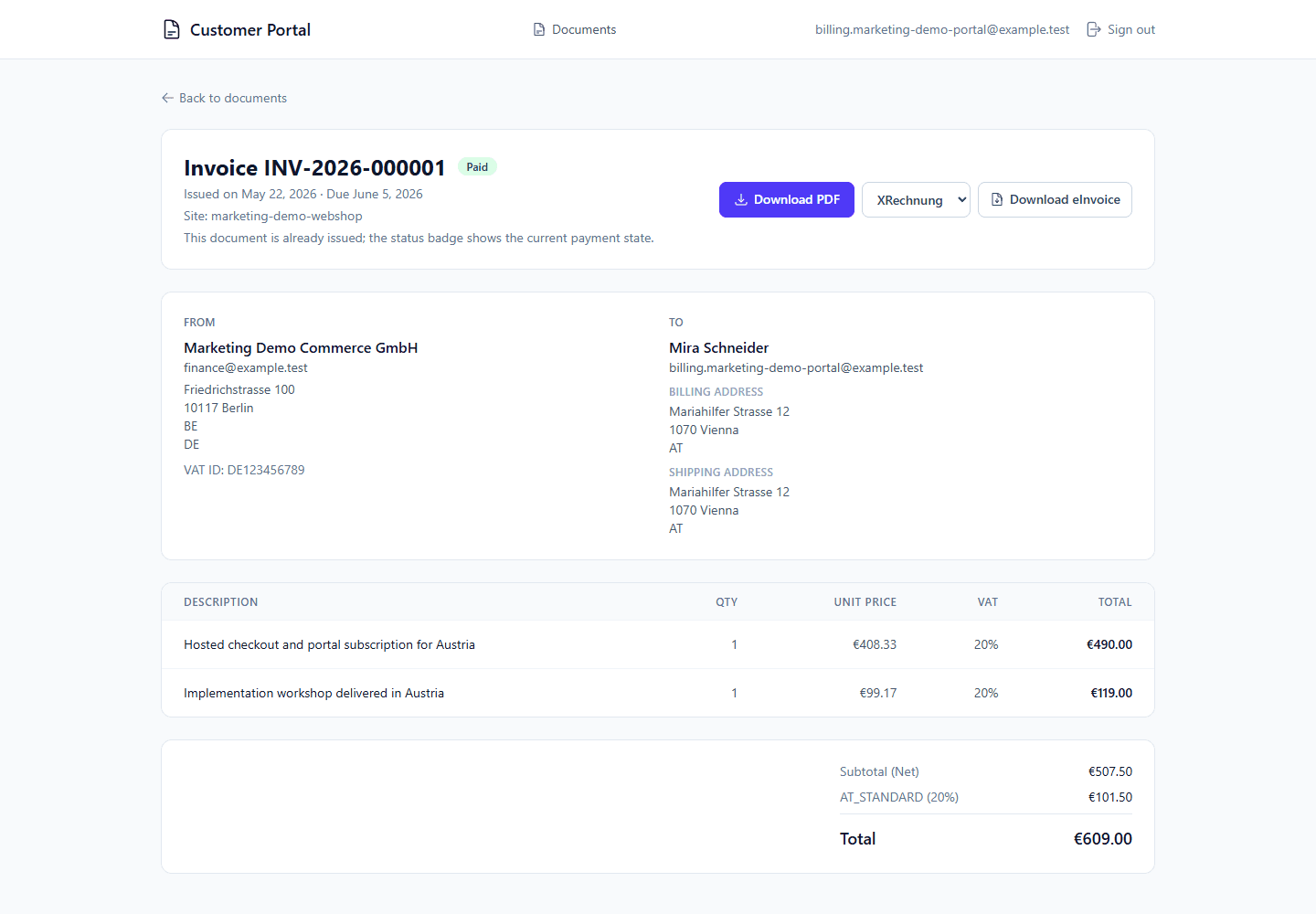
- Download portal-visible invoice and credit-note PDFs when PDF downloads are enabled.
- Pay eligible open invoices when a payment link is available.
- Download configured XML eInvoice formats for issued invoices: XRechnung, Peppol BIS 3.0 XML, and ZUGFeRD/Factur-X CII. Credit notes are available in the portal as PDF documents.
Subscription Management
If the customer is enrolled in a visible Recurring Schedule, the portal displays their subscriptions alongside the current recurring state.
- They can view the current subscription status (
active,paused,cancel_requested,cancelled,completed). - They can review the next billing date, upcoming charge estimates, and optional proforma previews where configured.
- They can request cancellation for future cycles from an explicit confirmation dialog in the customer portal.
- Pending future-cycle cancellations are labeled as Cancellation Scheduled and show the effective cancellation date instead of implying another invoice will run.
See Recurring Schedules for operator-side schedule behavior and Main Backend Public Endpoints for the portal API surface.
Cancellation Semantics
Customer portal cancellation is designed to be idempotent and state-aware:
- Future-cycle subscriptions move into
cancel_requestedand stop generating further billing after the effective cycle date. The recurring processor finalizes the cancellation on or after that date before generating the next cycle. - Paused subscriptions, or subscriptions with no remaining future cycle, are cancelled immediately.
- Customers can optionally provide a cancellation reason. The gateway stores a trimmed reason, caps it at 500 characters, and shows the reason/requested timestamp on both the customer portal subscription detail and the Admin Panel recurring schedule detail.
- Repeated cancellation requests return the current state instead of creating duplicate mutations.
- Already issued invoices remain unchanged; customer portal cancellation only affects future recurring runs.
Security Architecture
The Customer Portal is isolated from the admin control plane and only exposes narrowly scoped customer self-service mutations.
- Scoped Access Vectors: The
PortalInvoiceServicehandles invoice reads, upcoming recurring previews, and customer-initiated future-cycle cancellation while preventing unauthorized access to foreign Client records (preventing Insecure Direct Object Reference vulnerabilities). - OTP Reuse Prevention: Once an OTP is consumed or expires (usually within 15 minutes), it is cryptographically invalidated to prevent replay attacks.